
How to swap tokens
One swap on apps.cadinu.io/swap compares the route through CADINU pools with PancakeSwap and takes the better one (MultiSwap). You sign the trade in your own wallet; the tokens arrive in the same transaction.
Before you start
Section titled “Before you start”- A self-custody wallet on BNB Smart Chain (chain ID 56). New to this? Start with Get started.
- A little BNB for gas.
- The contract address of any token that is not in the list. Check it on the token’s official channels.
-
Open Swap and choose the tokens
Section titled “Open Swap and choose the tokens”Go to Swap. The default pair is BNB → USDC. Tap a token to change it; to trade a token that is not listed, paste its contract address in the token search.
-
Enter the amount and read the quote
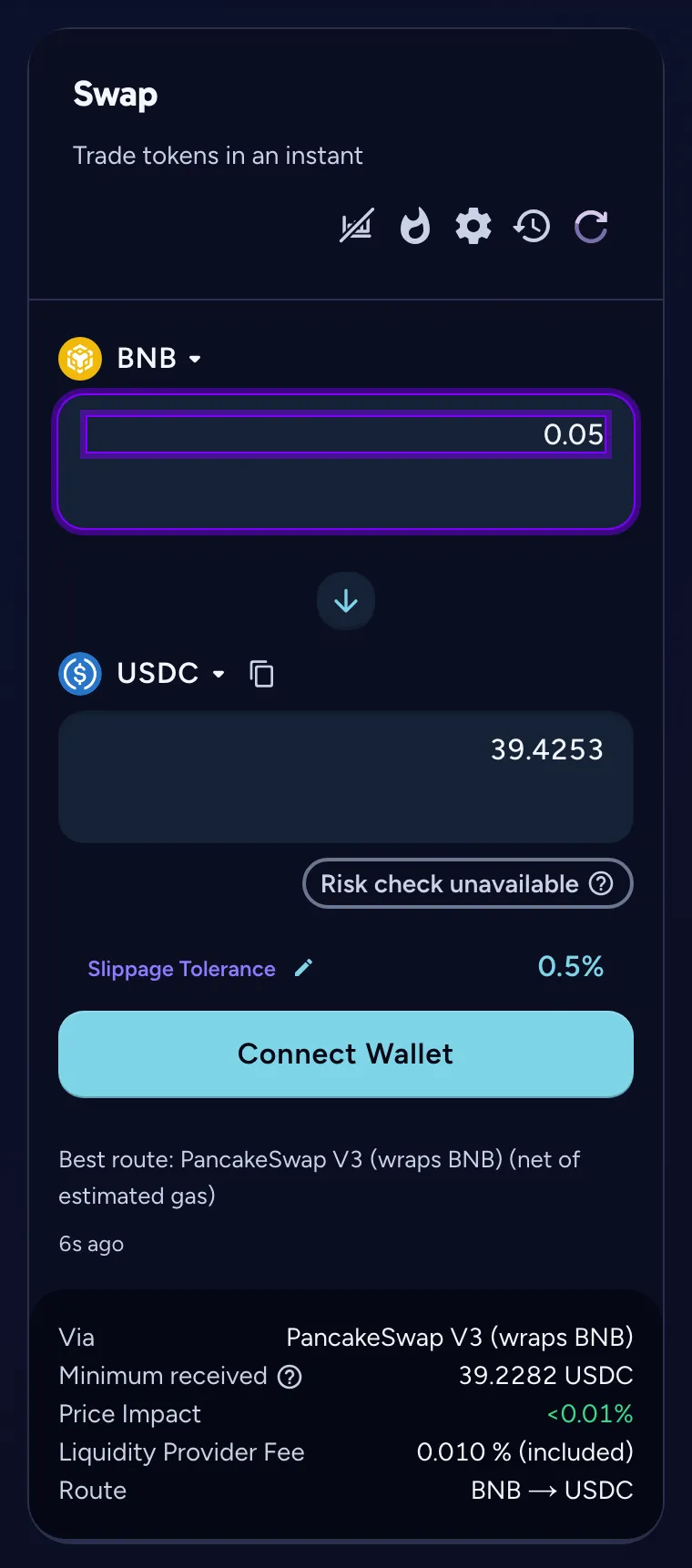
Section titled “Enter the amount and read the quote”Type the amount you pay. Below the form the page shows the best route it found, the minimum received, the price impact and the liquidity-provider fee, already included in the quote.
-
Check slippage
Section titled “Check slippage”The gear icon sets the slippage tolerance, 0.5% by default: the largest price move you accept before the trade reverts. Raise it only for tokens that move fast or charge a transfer tax.
-
Connect, approve and swap
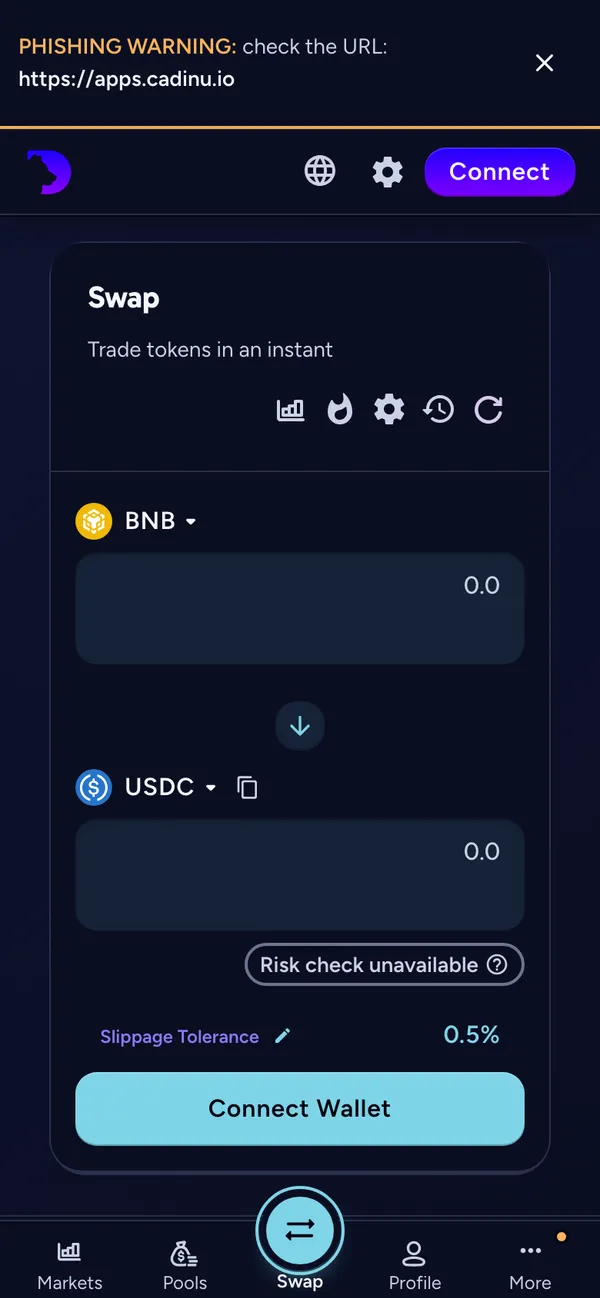
Section titled “Connect, approve and swap”Choose Connect Wallet. The first time you sell a token, your wallet asks you to approve the router for it. Then confirm the swap. The output arrives in the same transaction.
Common errors
Section titled “Common errors”| What you see | What to do |
|---|---|
| Switch to BNB Chain | Your wallet is on another network. Tap the button and accept the switch in your wallet. |
| Price impact too high (…). Swap anyway | The pool is thin for this amount. Trade a smaller amount, or confirm only if you accept the price. |
| The transaction reverted | The price moved more than your slippage tolerance, or the deadline passed. Your tokens did not move; only gas was spent. Refresh the quote and try again. |
| Insufficient BNB balance | Keep a little BNB for gas on top of what you swap. |
| A token is missing from the list | Paste its contract address. Some old tokens (for example BUSD) are no longer listed but can still be imported by address. |
Questions
Section titled “Questions”Does CADINU hold my tokens during a swap?
No. CADINU has no deposit accounts and no wallet that holds user funds. Details: CADINU Non-Custodial Exchange.
Which fee do I pay?
The pool’s fee (shown as the liquidity-provider fee and already in the quote) plus BNB gas. CADINU adds no interface fee today. See Swap.
Can I remove an approval?
Yes. Approvals stay after the swap; you can revoke them at any time in your wallet or with a token-approval tool.