
Submit your token's project info
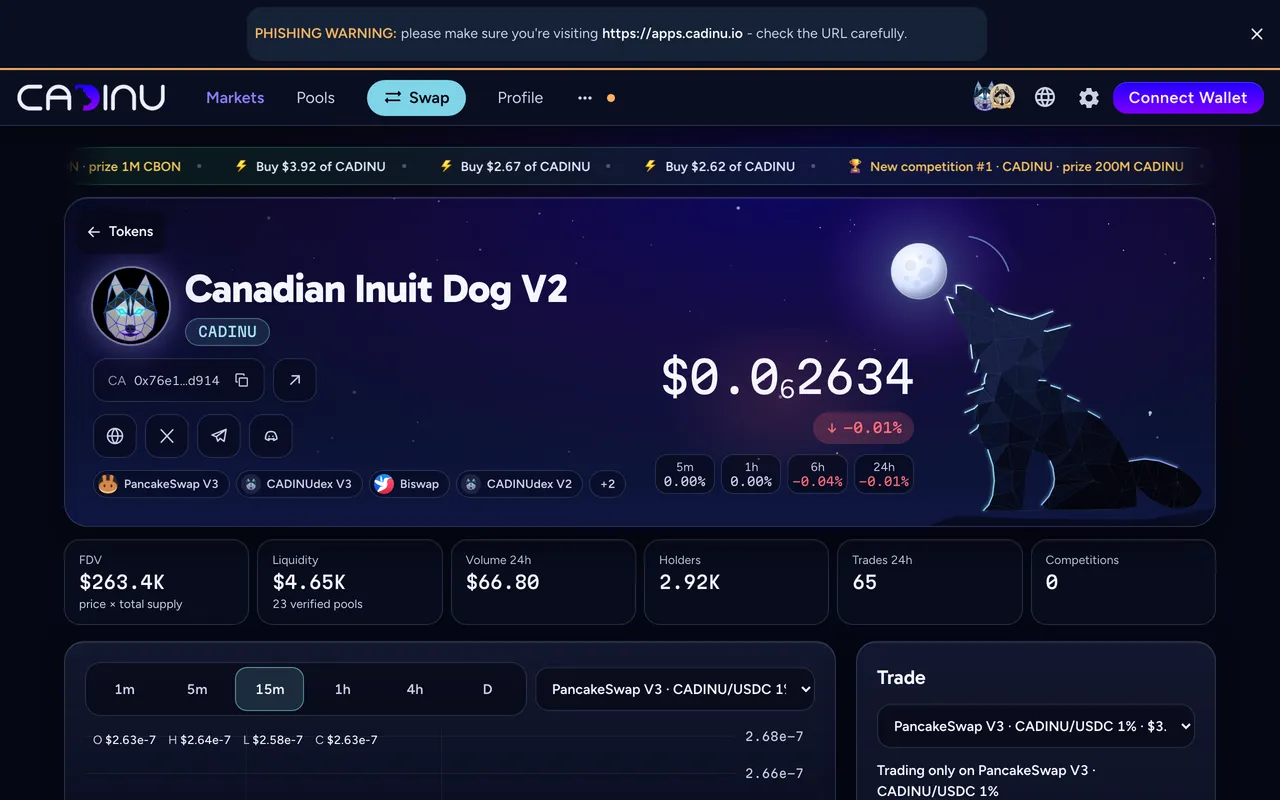
Every BNB Smart Chain token has a page on CADINUdex, apps.cadinu.io/token/<address>, with price, pools, holders, trades and competitions (Markets and token pages). Teams can add the project’s story: a description, links, the team and a logo. A person reviews it before it goes live.
Listing is free. Sending project info costs nothing: Fee: free. Only the two ticks are paid steps, each with its own fee (see Ticks below). The fees are set by CADINUdex and read from its settings when this page is built; the app always shows the current fee before you confirm.
Tokens launched with CAD1
Section titled “Tokens launched with CAD1”A token launched with CAD1 publishes its own description, links and logo right after the launch, without this review: the token carries a fingerprint of them and CADINU accepts only a match. They show on the token page, but they are not a tick. A green Launched with CAD1 tick is added automatically; the blue and gold ticks stay the optional steps below.
Before you start
Section titled “Before you start”- Your token’s contract address.
- The text, links (website, X, Telegram), team details and a logo you want to publish.
- A wallet on BNB Smart Chain. Your wallet signs a message to show the submission is yours. The signature is free and sends no transaction.
-
Open your token page
Section titled “Open your token page”Search your token by name, symbol or address on Discover tokens, or open
apps.cadinu.io/token/<your token address>. -
Submit project info
Section titled “Submit project info”On the card No project info for … yet, choose Submit project info, connect your wallet and fill in the description, links, team and logo. On the review step choose Sign and send: your wallet shows the text to sign.
-
Wait for the review
Section titled “Wait for the review”Your info goes live after the review. Until then the page keeps showing the on-chain data only. A rejected submission costs you nothing: correct it and send it again.
One wallet can send a few submissions a day, and one submission per token waits in review at a time. Once a token has a tick, only its team can send an update: the wallet that sent the approved info, a confirmed team member, or the wallet that controls the token.
A token page shows one tick at most, gold or blue. Both are optional steps after your info is approved, on the token page under Ticks. A fee pays for the check or the review, never for the tick itself, and neither tick is an audit or a guarantee about the project.
| Tick | Who can ask | What happens | Fee |
|---|---|---|---|
| Verified token team (blue) | The wallet that controls the token: its owner, or its deployer when ownership is renounced | The wallet signs a request and pays from the same wallet. The ownership check on BNB Smart Chain runs again once the payment is final; if it fails, the fee is flagged for a manual refund | 0.01 BNB |
| Verified by CADINU team (gold) | The token’s team: the wallet that sent the approved info, a confirmed team member, or the wallet that controls the token | The CADINU team reviews the project by hand. Paying does not guarantee the tick; if the review says no, the fee is flagged for a manual refund | 0.1 BNB |
The blue tick shows who controls the token. Contract wallets (for example a Safe) cannot sign the request yet, and a token whose deployer cannot be found (a factory or CREATE2 deployment with ownership renounced) cannot get the blue tick.
Team members. The info can list up to three team wallets with a role. Each member confirms on their own CADINU profile with a free signature; the Token team tick shows on their profile once the token has its blue or gold tick.
Refunds are manual. A refund the system flags is sent back by the team by hand; nothing is refunded automatically.
Basic pages
Section titled “Basic pages”A token page shows one of three states before the ticks:
| State | What you see | What it means |
|---|---|---|
| Approved info (no tick yet) | Description, links, team and logo | The project sent its info and a person reviewed it |
| Basic page (no tick) | Logo and links, with the note “Info from the project’s public profiles. Not verified.” | CADINU copied the links from the project’s own public profiles (DexScreener / GeckoTerminal). Nobody has verified them |
| No info | The on-chain data only | Nobody has sent info yet |
Is this your token? Press Claim this page on a basic page. It opens the free submission above. After the review, your own info replaces the basic note.
Common errors
Section titled “Common errors”| What you see | What to do |
|---|---|
| Your token has no page | Paste the full contract address in the token search; every BNB Smart Chain token can be found by address. |
| The wallet signature could not be checked | Sign again with the same wallet; each signature can be used once. |
| Only the wallet that controls the token can ask for the blue tick | Connect the token’s owner wallet (or its deployer when ownership is renounced). |
| Try again tomorrow | The wallet or connection sent the most submissions allowed in 24 hours. |
| A thin pool warning | Your token has little liquidity; prices can move a lot. Add liquidity on Liquidity and consider locking it. |
Related
Section titled “Related”Read on BNB Smart Chain at block 126,766,716 (2026-10-10): values marked with a gold dot.